
Find Where This Instagram Photo Was Taken
Get the most likely location with country, region, city, confidence score, and supporting evidence.
Upload an Instagram photo or screenshot to find where it was taken.
Drop your photo here
or click to upload
JPG, PNG, WEBP, HEIC • Max 10MB
Not sure what to upload? Try one of these:
- AI-Powered Geolocation
- Evidence-Based Reasoning
- No GPS Required
Why Use an Instagram Location Finder?
Most Instagram photos no longer contain useful GPS information.
Instagram removes most EXIF metadata when images are uploaded, and many posts never include an accurate location tag. Even when a place is tagged, it may refer to a nearby landmark instead of the exact shooting location.
An Instagram Location Finder answers a different question:
Where was this Instagram photo taken?
Instead of relying on hidden metadata, our AI analyzes the visible content of the image, including:
- landmarks
- architecture
- road markings
- language
- vegetation
- mountains
- coastlines
- weather
- urban layout
This makes it possible to estimate where many Instagram photos were taken—even from screenshots.
How Instagram Location Finder Works
Our AI analyzes visual and geographic clues within an Instagram photo to estimate where it was taken without GPS data or metadata.
Landmark Recognition
Recognizable buildings, bridges, skylines, coastlines, mountains, monuments, and public spaces often provide the strongest location evidence.
Language & Signage
Street signs, storefronts, license plates, road markings, advertisements, and writing systems help identify countries and regions.
Terrain & Climate
Vegetation, coastlines, deserts, forests, lighting, weather, and seasonal conditions reveal valuable geographic context.
Architecture & Infrastructure
Building styles, balconies, roofs, utility poles, sidewalks, road furniture, and street layouts often distinguish one city or country from another.
Images That Produce the Best Results
Instagram Location Finder analyzes visual and geographic clues to estimate where a photo was taken. Images typically produce better results when they include:
- Buildings and architecture
- Roads or intersections
- Mountains or natural terrain
- City skylines
- Coastlines, rivers, or lakes
- Street signs or landmarks
- A wide view of the surrounding area
Results may be less accurate when images provide limited geographic evidence, such as:
- Selfies
- Indoor scenes
- Close-up objects
- Heavily filtered images
- Photos with little visible background
Example Instagram Location Analysis
See real examples of Instagram photos analyzed by AI. Each analysis shows the estimated location, confidence score, and geographic evidence used to make the prediction.
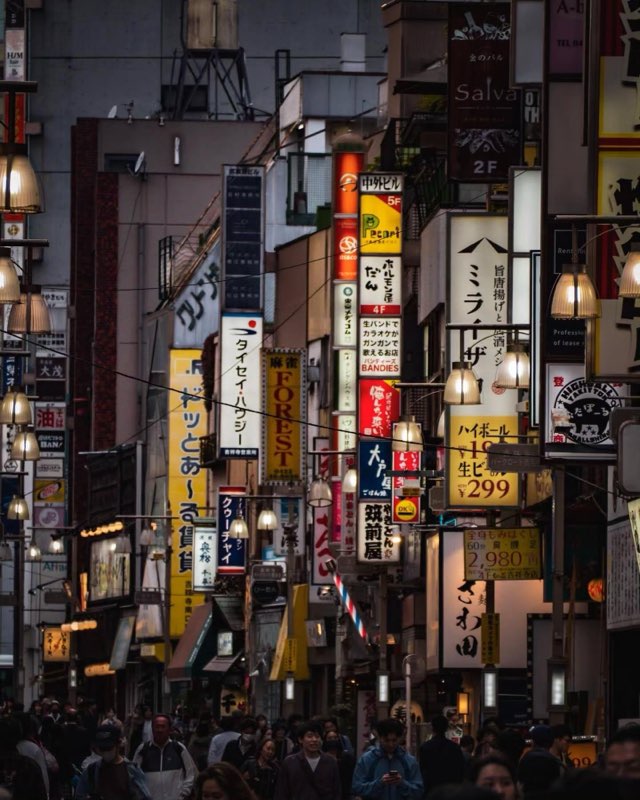
Tokyo, Japan
Key Location Clues
- Japanese Script
- Vertical Signage Density
- Highball Price Sign
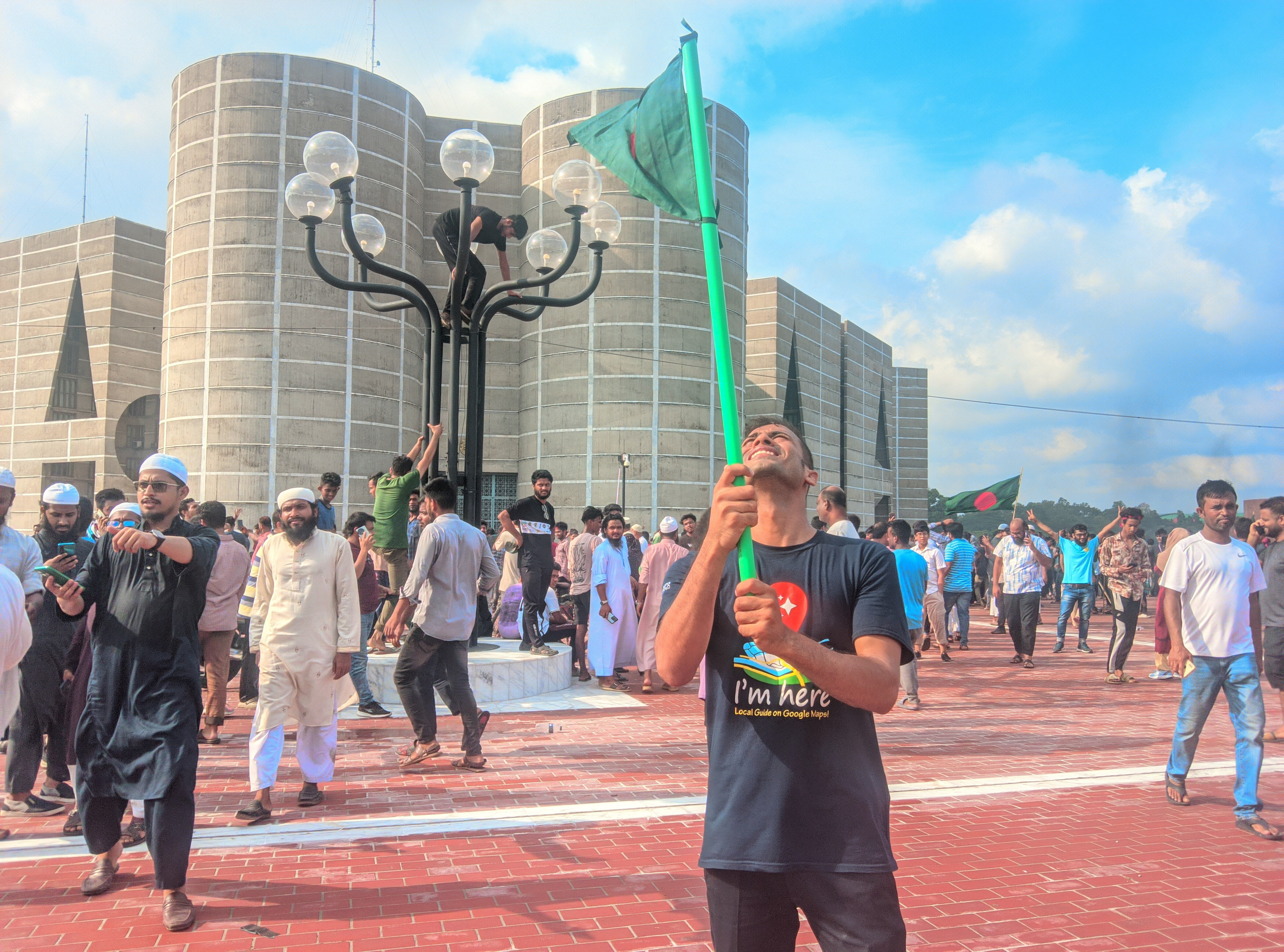
Dhaka Division, Bangladesh
Key Location Clues
- Jatiya Sangsad Bhaban
- National Flag
- Clothing
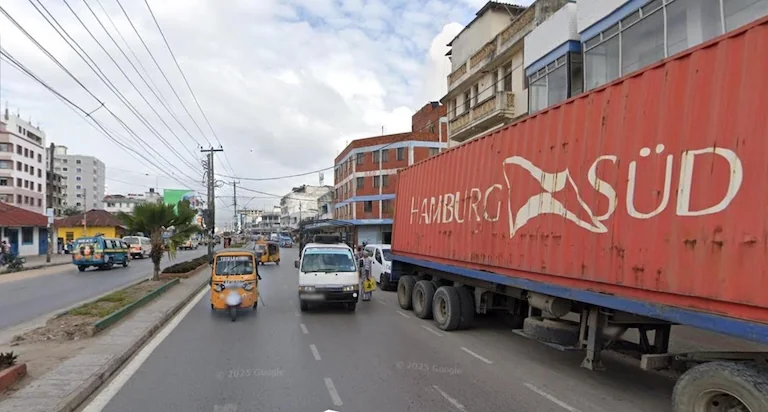
Dar es Salaam Region, Tanzania
Key Location Clues
- Hamburg Süd Container
- Tuk-tuks (Bajajis)
- Urban Buildings

Instagram Location Finder vs Reverse Image Search
Different methods help identify photos in different ways.
How it works
Reverse Image Search
Finds matching images online
Instagram Location Finder
Analyzes visual location clues
Works if no online match exists
Reverse Image Search
No
Instagram Location Finder
Yes
Works with Instagram screenshots
Reverse Image Search
Limited
Instagram Location Finder
Yes
Works with unique travel photos
Reverse Image Search
Limited
Instagram Location Finder
Yes
Result you get
Reverse Image Search
Similar images or webpages
Instagram Location Finder
Likely country, region, city & confidence
Best for
Reverse Image Search
Finding image sources
Instagram Location Finder
Finding where a photo was taken
| Feature | Reverse Image Search | Instagram Location Finder |
|---|---|---|
| How it works | Finds matching images online | Analyzes visual location clues |
| Works if no online match exists | No | Yes |
| Works with Instagram screenshots | Limited | Yes |
| Works with unique travel photos | Limited | Yes |
| Result you get | Similar images or webpages | Likely country, region, city & confidence |
| Best for | Finding image sources | Finding where a photo was taken |
Common Ways People Use Instagram Location Finder
Discover Untagged Places
Discover cafes, beaches, viewpoints, streets, and scenic locations that influencers never tagged.
Plan Future Trips
Turn Instagram screenshots into real destinations before you travel.
Verify Claimed Locations
Check whether a photo is consistent with its claimed country or city using visual evidence.
Identify Unknown Photos
Estimate where an Instagram photo or screenshot was taken when no location information is available.
Frequently Asked Questions
Learn how Instagram Location Finder works, what images it can analyze, and how accurate the results are.
Explore Related Resources
Discover more AI-powered tools and guides to identify photo locations, recognize landmarks, read EXIF metadata, check geotags, and solve GeoGuessr screenshots.
Find Location from Photo
Upload a photo or screenshot and let AI analyze visual clues to estimate where it was taken without GPS metadata.
Try ToolReverse Image Search for Photo Locations
Use AI reverse image search to find where a photo was taken by analyzing landmarks, architecture, and geographic clues.
Try ToolGeoGuessr Image Solver
Analyze GeoGuessr screenshots with AI and identify possible locations using roads, signs, landscapes, and geographic clues.
Try ToolReverse Image Search vs AI Image Location Finder
Compare reverse image search and AI geolocation to understand how photos can be identified with or without online image matches.
Learn MoreWhere Was This Photo Taken?
Discover where a photo was taken with AI by analyzing landmarks, architecture, roads, landscapes, and other geographic clues.
Learn More
Find Where an Instagram Photo Was Taken
Upload an Instagram photo or screenshot and let AI estimate where it was taken using visual clues from the image. Discover the most likely country, city, and location without GPS, location tags, or metadata.